Release notes

What's new in Kron

New features and improvements to help your team spend less time keeping time.

New

Show off your team's hours on your website

Add a live stats widget to your team's website that shows your hours, members and events, and keeps itself up to date.
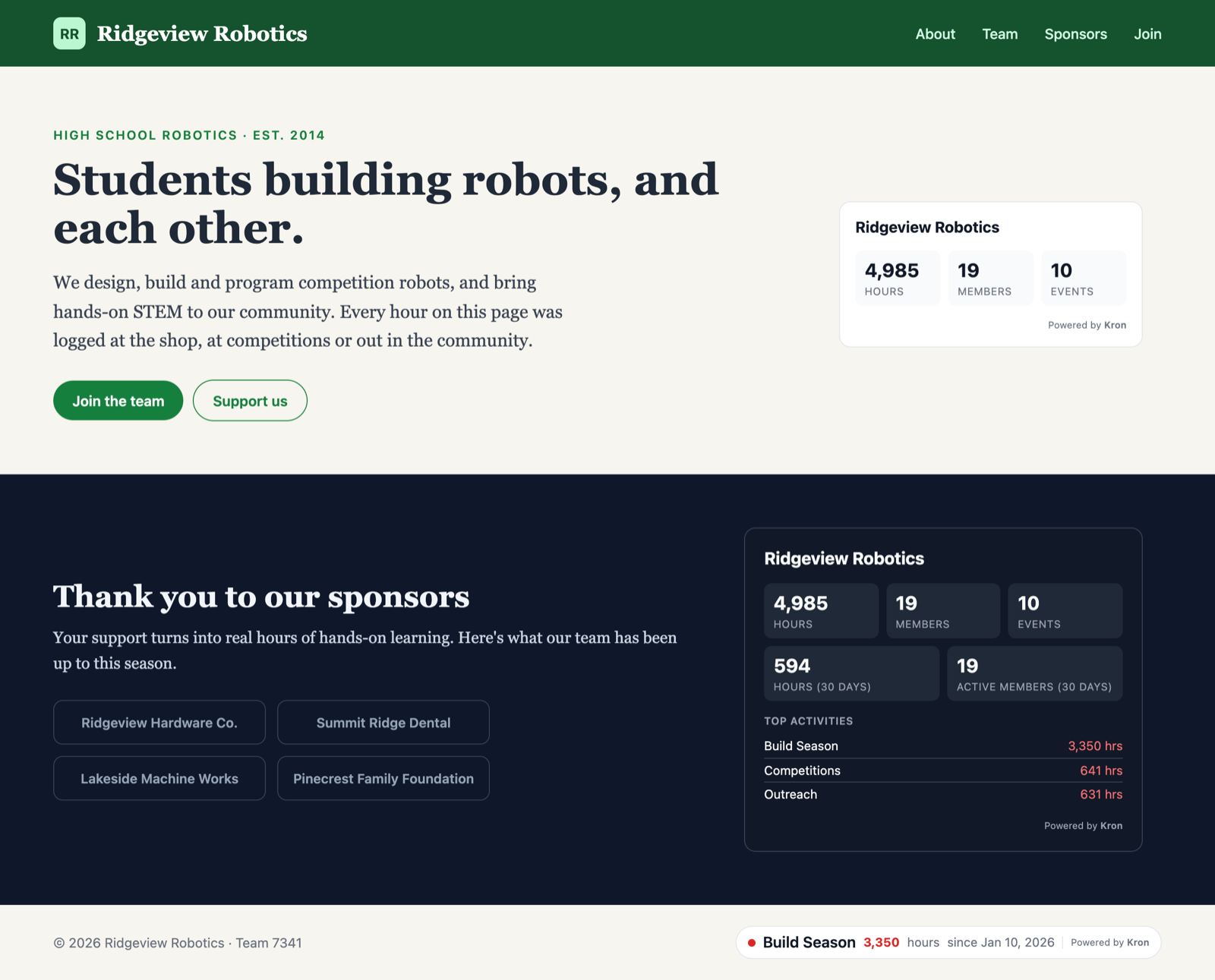
A team website with three Kron stats widgets showing the team's hours, members, events and top activities

Your sponsors, families and future members want to see what your team puts in. Now your website can show them. Website widgets put your team's real hours, members and events right on your homepage, sponsor page or footer, straight from Kron.

How it works

Team owners and admins can find it under Team Settings → Website Widgets. Click Create widget, then pick:

  • Stats to show: your whole team, or a single event type like build season. Event types with a start date count from that date, just like your leaderboards.
  • Theme: Light or Dark, to fit your site's colors.
  • Size: Compact for a small badge with your total hours, Normal for a card with hours, members and events, or Large to add the last 30 days, your top activities or goal, and your team picture.
  • Show team name: turn it off if your page already says who you are.

A live preview shows exactly how your widget will look before you save it.
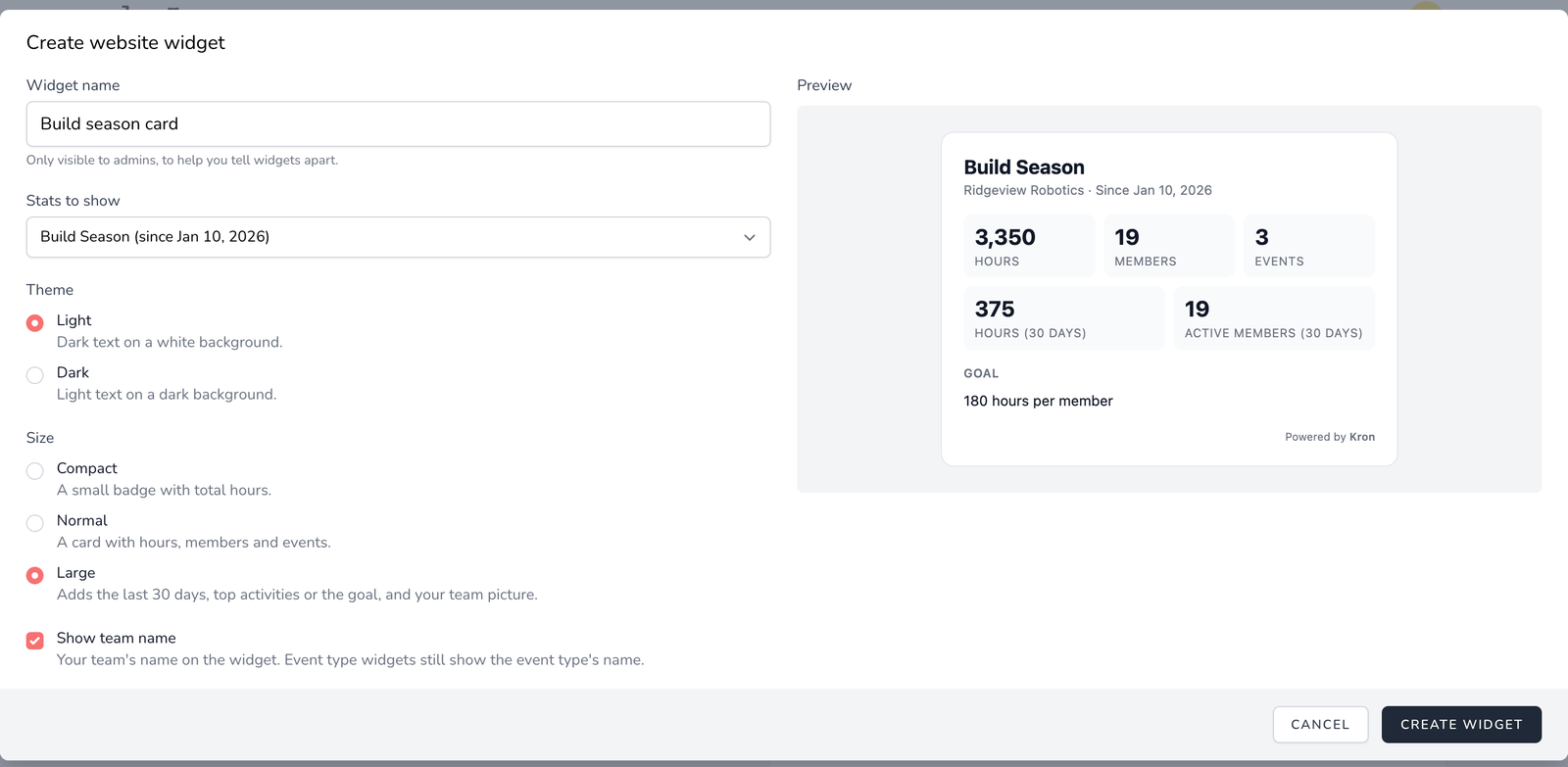
The Create website widget form with Build Season, Light and Large selected, next to a live preview of the widget

Add it to your site

Click Preview & Get Code on your widget, then Copy embed code and paste it into your website wherever your site builder lets you add custom HTML or an embed. That's it. The numbers keep themselves up to date as your team signs in and out, so there's nothing to update by hand.

If your website has its own dark mode, whoever manages it can switch the widget between light and dark to match. And if you ever want a widget gone, delete it in Kron and it disappears from your site, with a friendly note in its place.
New

Dark mode is here

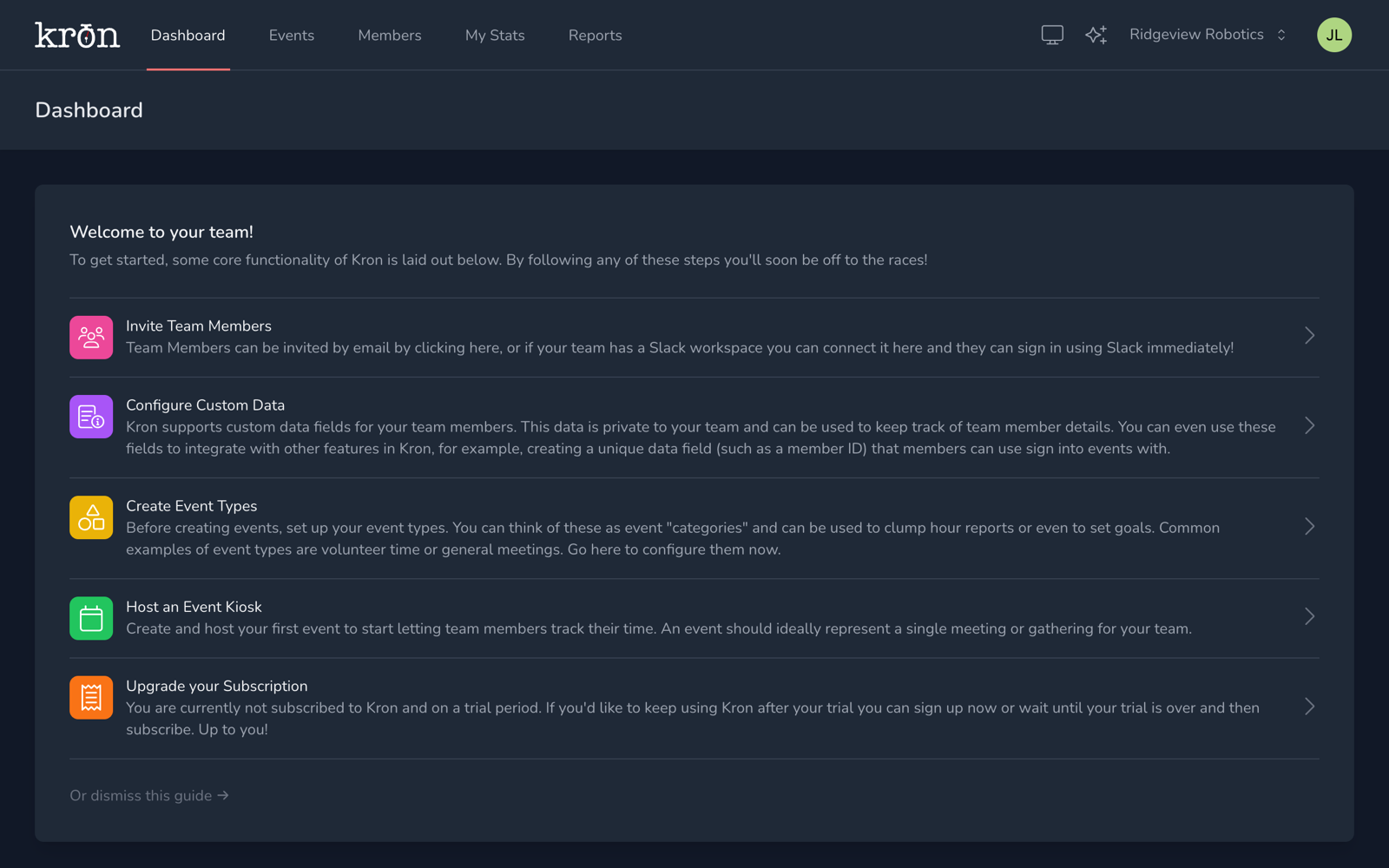
Kron now matches your device's light or dark theme, or you can pick one yourself from the new theme menu in the top bar.

The Kron dashboard in dark mode, with the new theme and What's new buttons in the top bar

Late-night build sessions and dimly lit gyms just got easier on the eyes. Every part of Kron, from your dashboard and reports to the sign-in kiosk, now comes in a carefully tuned dark theme.

Pick your look

Open the theme menu (the sun or moon icon in the top bar) and choose:

  • System follows your device's setting and switches automatically when it does. This is the default.
  • Light keeps the classic Kron look.
  • Dark keeps things dark all the time.

Your choice is remembered on that device, so the kiosk tablet in the shop can stay dark while your laptop follows the sun.

Everywhere you use Kron

Dark mode covers the app, the kiosk, sign-in pages and the Kron website, so nothing flashes bright white when you move between them.

New

Scheduled reports, delivered to your inbox

Set a report to run every week or month and Kron will email it to you automatically, right on your team's clock.

Stop remembering to pull the same hours report every Monday. Scheduled reports run on their own and land in your inbox, ready to forward to a mentor, sponsor or school.

Set it once

When you create a report, choose Schedule instead of running it once:

  • Weekly on the day of your choice, or monthly on any day of the month.
  • Pick the time of day it runs, in your team's time zone.
  • Pause, edit or delete a schedule at any time from Manage scheduled reports on the Reports page.

Delivered automatically

When a scheduled report is ready, Kron emails it to you with the file attached (large reports include a download link instead). Every run is also saved in your reports list, so the history is always there when you need it.

Improved

See total member credits for every event

Each event page now shows the total hours your members have earned, next to members signed in and average credit.

How many hours did the team put in at build season kickoff? Now it's right at the top of the event page.

The new Total member credits card adds up every member's credited time for the event and sits alongside Members signed in now and Average credit per member. It's perfect for grant reports, sponsor updates and end-of-season recaps.

New

Team stats on your dashboard

See how your whole team is doing at a glance with charts for active members and hours by event type, right on the dashboard.

Your dashboard now tells the story of your season. Team leaders get a live view of participation without building a single report.

What you'll see

  • Daily active members for the last week, so you can spot which days the team shows up.
  • Monthly active members across the past year to track growth and retention.
  • Hours by type for the last three months, broken down by event type (build, outreach, competition and more).

Set up for your kind of team

New teams now pick a category (robotics team, nonprofit, school club, youth sports and more) and a time zone when they're created. Kron starts you off with event types that fit your category, and every stat and report follows your team's time zone.

More control over event types

You can now archive event types you no longer use, and hide an event type from leaderboards when its hours shouldn't count toward the rankings. Find both options in Team Settings → Event Types.

Try every one of these features free.

One simple plan includes everything above, for unlimited members. No billing info required to start your 30-day trial.

  • No billing info required
  • 30 days free
  • Every feature included